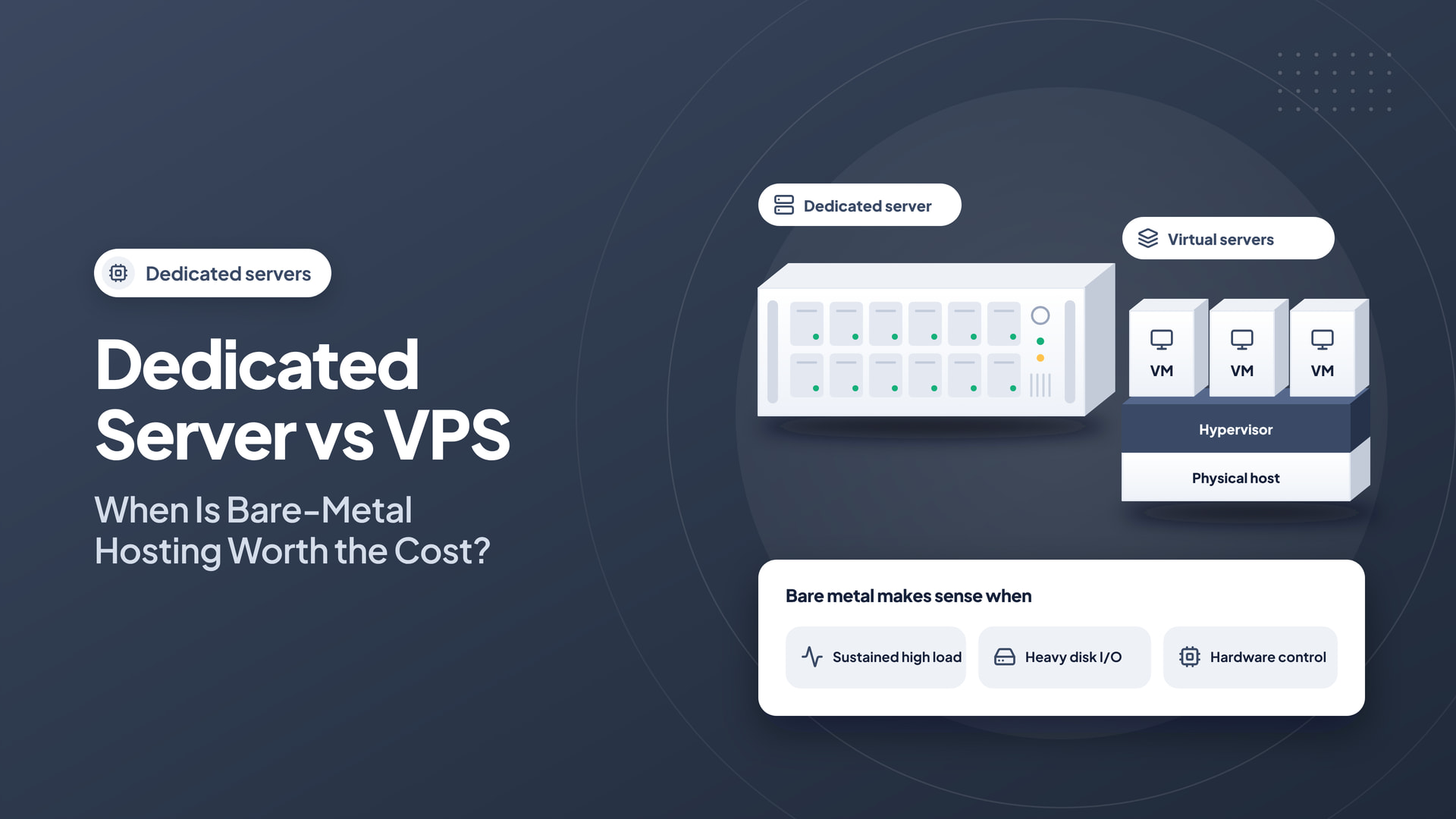
A dedicated server gives one customer control of an entire physical machine, while a VPS allocates virtualized resources on shared physical infrastructure. Both approaches can be effective. The right choice depends on performance requirements, licensing, operational skills, and budget.
Quick answer: Dedicated hardware makes sense when physical-resource control solves a measurable problem. Compare a VPS and bare metal across performance, hardware replacement, administration, and disaster recovery.
Compare the type of control
A VPS usually offers root access within a virtual machine, making it useful for custom applications and general workloads. Dedicated hosting provides the underlying server hardware to a single customer, allowing greater control over physical resources and, in some arrangements, hardware-level configuration.
Neither model is inherently secure without competent maintenance. Access control, updates, backups, and monitoring remain essential.
Look for the workloads that justify bare metal
Dedicated servers can be attractive for large databases, sustained compute workloads, specialized virtualization, or applications that need consistent access to substantial hardware resources. They may also suit organizations with unusual compliance or isolation requirements, subject to how the whole environment is managed.
For moderate traffic and flexible growth, a VPS may offer a more convenient starting point. Do not buy an entire machine simply because a website feels slow; application profiling may reveal an inexpensive fix.
Evaluate hardware specifications carefully
CPU generation matters alongside core count. Review memory capacity, storage endurance, disk redundancy, network throughput, bandwidth allowances, and replacement procedures. Ask how the provider handles failed drives and whether remote console or rescue access is available.
A single fast NVMe drive is not a substitute for a backup strategy. RAID may improve availability for some failures, but it does not protect against accidental deletion, ransomware, or application-level corruption.
Understand the operational cost
Dedicated servers often require more administration than shared hosting. Account for operating system updates, control-panel licenses, monitoring, backup storage, incident response, and possible application migration work. Compare contracts on equal terms rather than looking only at monthly hardware price.
For a reference point, Intelwebhost lists dedicated server configurations with various processor, RAM, and storage options. Verify current availability, data-center location, provisioning terms, and management scope before making a purchase.
What dedicated hardware gives you that a VPS may not
A dedicated server assigns the physical machine to one customer under a defined agreement. That can provide greater control over processor resources, drive layout, memory, and isolation from other tenants. A VPS provides a virtual machine with its own operating system and assigned resources, but the physical hardware may be shared. Neither model guarantees high availability or professional management by default.
A dedicated server is especially relevant when the workload requires particular hardware, predictable sustained compute resources, or extensive operating-system configuration. A VPS can be more economical and flexible for applications that do not need full-machine control. Evaluate actual service architecture rather than choosing the most prestigious-sounding category.
Look past core counts and storage capacity
Compare CPU generation, core and thread counts, clock behavior under sustained load, RAM capacity and ECC support, disk configuration, network transfer allowances, and replacement procedures. A large SSD is not equivalent to redundant storage, and a fast network port does not guarantee that every route will deliver its advertised headline speed.
Ask how failed drives are replaced and whether hardware repair times are covered by a service agreement. For important workloads, design backups and recovery independently of individual hardware components. RAID may reduce the impact of some drive failures; it is not a substitute for versioned, offsite backups.
Capacity planning for real workloads
A high-traffic WordPress platform may need strong caching and an efficient database before it needs dedicated bare metal. Virtualization hosts and game servers may benefit from physical resource control, subject to provider policies. Data processing, storage-intensive applications, and large numbers of hosting accounts can also justify a dedicated machine—but only when costs and operational requirements have been measured.
Collect CPU utilization, memory pressure, disk latency, network usage, and user-facing tail latency over a representative period. If a VPS reaches one constraint, investigate resizing or architectural changes before concluding that physical hardware ownership is necessary.
Consider security and disaster recovery
Dedicated hosting can give you control over system-level configuration, but it also makes you responsible for more failure scenarios. Plan for hardware outages, OS upgrades, patches, control panel licensing, access management, and emergency recovery. Verify whether the service is managed, what support covers, and who can access the provider’s remote management console.
Maintain backup copies outside the server. If data is important, test recovery to a different machine or region rather than assuming that a filesystem snapshot on the same chassis is sufficient. Know how long restoration may take under realistic bandwidth and dataset sizes.
A careful migration strategy
Create an inventory of all sites, databases, DNS records, cron tasks, users, and mail services. Deploy the new server with hardened access, correct versions, and monitoring. Migrate a low-risk account first to validate the procedure. Then move workloads in batches, checking TLS, mail delivery, file permissions, database integrity, and performance after each group. Keep the old environment available until rollback is no longer needed.
When dedicated hosting is justified
- Workloads need sustained performance that virtualization cannot meet economically.
- Hardware specifications or disk layout must be under customer control.
- Multiple substantial applications benefit from a unified dedicated resource pool.
- The business has a credible plan for administration and incident response.
- A recovery test demonstrates that major hardware failure is survivable.
Plan a safe migration
Benchmark your current application, choose a target capacity, and move a staging copy first. Test database integrity, file permissions, background jobs, SSL, and service restarts. Keep a tested rollback plan until the new server has passed operational checks.
Bare metal is worth paying for when physical resource control solves a documented need. For many growing teams, a well-managed VPS remains the more efficient and flexible option.
Frequently asked questions
Is a dedicated server automatically more secure than a VPS?
No. Isolation characteristics differ, but patching, identity controls, backups, network exposure, and administration remain essential.
Does RAID replace the need for backups?
No. RAID addresses selected hardware failure scenarios but does not protect against deletion, ransomware, application corruption, or all catastrophic failures.
What is the strongest reason to upgrade from VPS to bare metal?
A measured technical or operational requirement that dedicated hardware solves more effectively than resizing or improving the current architecture.
